All guide chapters
Start here
Everyday running
- Residents
- Rent and payments
- Dues and reminders
- Deposits and advances
- Expenses and profit
- Mess and meals
- Reports and dashboard
- Laundry and food for residents
- Importing residents safely
- Room changes, checkout and resident requests
- Payment approvals
- Billing periods, installments and rent reviews
- Room electricity and resident charges
- Utility connections and bills
- Inventory and room assets
- Bank accounts and wallets
Filling your beds
Your team and residents
What your residents can see and do
Residents can see their own room, rent and receipts, contact the hostel, and use available community features. Private account records stay separate.
Step by step
Where to go: Resident Logins; resident’s own account
Who can use it: The hostel owner, or staff with access to this feature. Some actions need additional permission.
-
Help the resident access their account
Verify the resident’s identity and contact before using the invitation or password tools. Explain how to open their own dashboard.
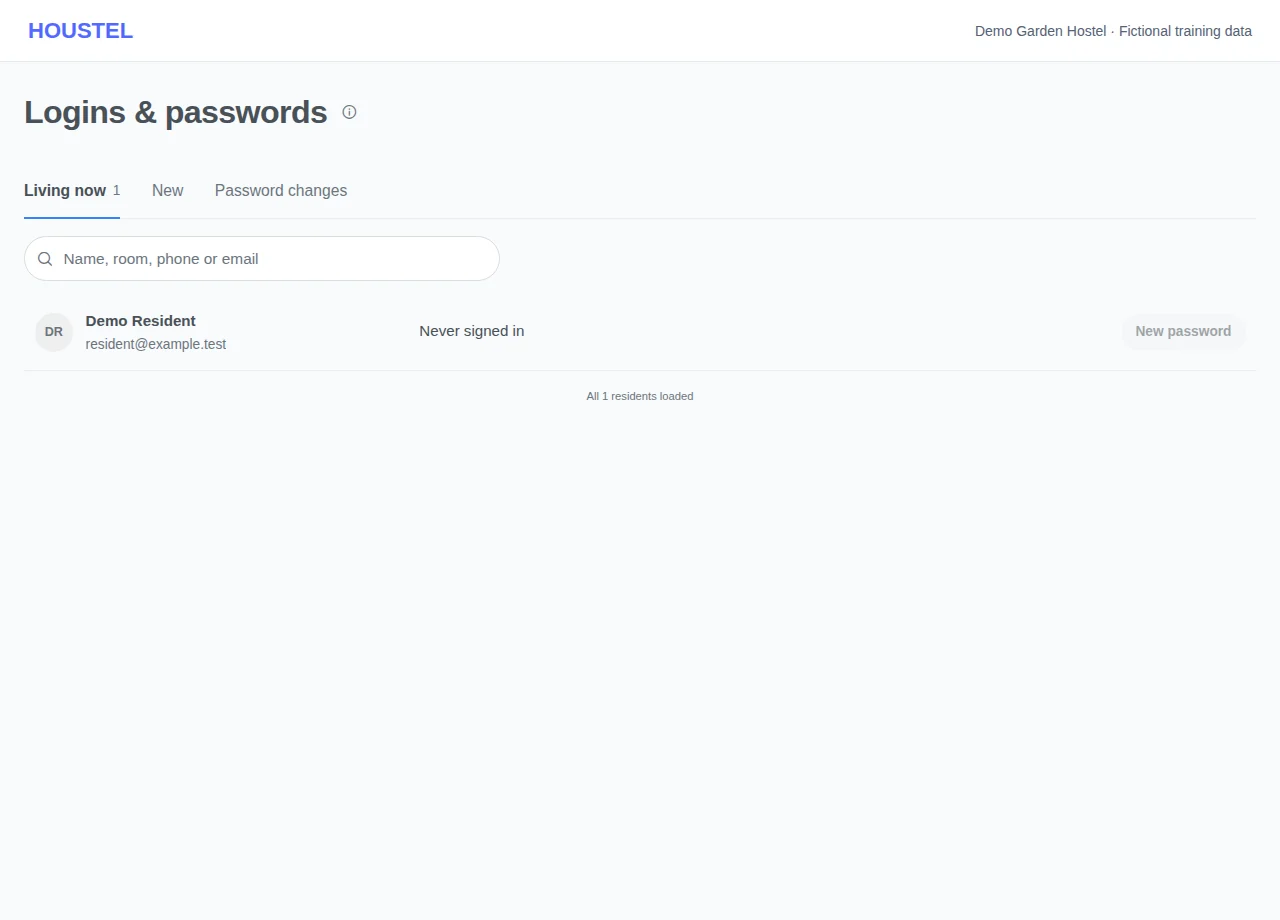
Help the resident access their account · Example with dummy data. Select the image to enlarge. -
Explain the available actions
Residents can use their available payment, notice, meal, attendance, request, review, support and chat screens. A request needs staff processing; submitting it is not the same as completion.
Before you finish, and when something goes wrong
- Some community information is shared according to that feature’s audience; payment and booking screens are private. Do not promise that everything a resident posts is private.
- Residents’ Need help? chat reaches the Houstel.pk team, not your hostel. It tells them so and points room, rent and food questions back to you.
If a save times out, check the record before repeating it. If access is denied, ask the owner to review your hostel assignment and permissions. Never share your login to work around an access restriction.
Related help
Every resident you add gets a small account of their own. You do not have to set it up or manage it, and most owners find it quietly removes a whole category of daily interruptions, because the answers people used to knock on your door for are now on their phone.
What a resident can see
- Their room. Floor, room and bed, and their joining date.
- Their rent. What they are charged, including mess, electricity and any extras.
- What they owe. This month and anything outstanding.
- Their payment history. Every payment they have made to you, with dates.
- Their receipts. Downloadable any time, without asking you.
- The mess menu for the week.
- Notices you have posted.
What they cannot see
This matters, so it is worth being explicit. A resident sees their own information and nothing else.
- Not another resident's name, room, rent or dues.
- Not who is in which room around the building.
- Not your income, expenses, profit or reports.
- Not your other residents' contact details.
- Not anything about your other branches.
- Not other hostels. Exploring other hostels from the account is switched off for your residents (it is for customers still choosing a hostel).
They cannot move themselves between rooms, change their own rent, or mark themselves as paid — a payment they send waits for you to confirm it. Everything that affects money or a bed goes through you.
What they can do
| They can | What happens on your side |
|---|---|
| Ask to change room | A request arrives under Customer Requests. You approve or decline, and you pick the room. |
| Submit a check-out request | You get their notice in writing, with a date, instead of a conversation on the stairs. It waits on Residents → Check-outs among the planned check-outs; accepting it or choosing another day tells them, they see the day on their check-out page and are reminded the day before. |
| Tell you they paid | From Payments → Pay, or the Pay now button in a payment email without signing in: the account they sent it to, the screenshot, the month and the amount. It waits under Payments to confirm until you record or decline it. See pay links. |
| Raise a query about a payment | It reaches you with the payment attached, so you are not guessing which one they mean. |
| Message you | It appears in Customer Chat against their record. They can send photos and screenshots too, such as a payment receipt. |
| Chat with Houstel.pk support | Questions about the app itself (signing in, paying in the app, something not working) go to the Houstel team, not to you. Their support window says it is not your hostel, and room, rent or food questions are sent back to you. See what residents see. |
| Order laundry or food from nearby businesses | Nothing comes to you: they order and pay the business directly under Laundry & Food, and it does not touch their rent. You choose whether they see it on My Hostel → Laundry & Food. See laundry and food for residents. |
| Leave feedback or a review | Private feedback comes to you; a review appears on your public page. |
How they sign in
With their phone number and a code sent to WhatsApp, or with an email and password if they have an email. The phone route matters, because a good number of hostel residents in Pakistan do not really use email, and the account is no use to them if it needs one.
So the single most useful thing you can do is enter their phone number correctly when you add them. A wrong digit is the difference between a resident who checks their own dues and one who asks you every month.
Telling residents it exists
Most residents will not discover it on their own. Mention it once at admission, in one sentence: “You can check your rent and download your receipts on your phone. Sign in with this number.”
Owners who do this consistently report the same three things:
- Fewer “how much do I owe?” conversations.
- Far fewer arguments about whether a payment was made, because the resident can see it.
- Check-out notice arriving earlier, in writing, because it is easy to submit.
A word on privacy
Your residents' details belong to your hostel. Other hostels on Houstel.pk cannot see them, other residents cannot see them, and only the staff you have given access to can. When somebody checks out, their history stays with your hostel's records where it belongs.
In short
- Every resident gets an account showing their room, rent, dues, payment history and receipts.
- They see only their own information, never another resident's and never your business figures.
- They can request a room change or check-out; you approve, and you choose the room and the day. A planned check-out day shows on their check-out page.
- They sign in with their phone number and a WhatsApp code, so enter that number correctly.
- Tell them it exists at admission. One sentence saves you a monthly conversation.
Common questions
Can one resident see another resident's details or rent?
No, never. A resident sees their own room, their own payments and hostel-wide notices you publish. Other residents' information is not shown to them anywhere.
My resident has no email address. Can they still sign in?
Yes. They can sign in with their phone number and a code sent to WhatsApp, which is how most residents in Pakistan use it.
Still stuck?
Tell us the screen name, what you tried and what happened. Remove personal details, passwords and private links from any screenshot.