All guide chapters
Start here
Everyday running
- Residents
- Rent and payments
- Dues and reminders
- Deposits and advances
- Expenses and profit
- Mess and meals
- Reports and dashboard
- Laundry and food for residents
- Importing residents safely
- Room changes, checkout and resident requests
- Payment approvals
- Billing periods, installments and rent reviews
- Room electricity and resident charges
- Utility connections and bills
- Inventory and room assets
- Bank accounts and wallets
Filling your beds
Your team and residents
Featured ad: put your hostel first on Houstel.pk
Put your hostel first in its city and area, show customers your WhatsApp number, and see how many opened it. How to ask, pay, renew and what happens when it ends.
Step by step
Where to go: My Hostel → Featured Ads
Who can use it: Anyone who can open the hostel profile can read this page. Only the hostel owner can ask for a featured ad, renew it or cancel a request.
-
See where your hostel stands
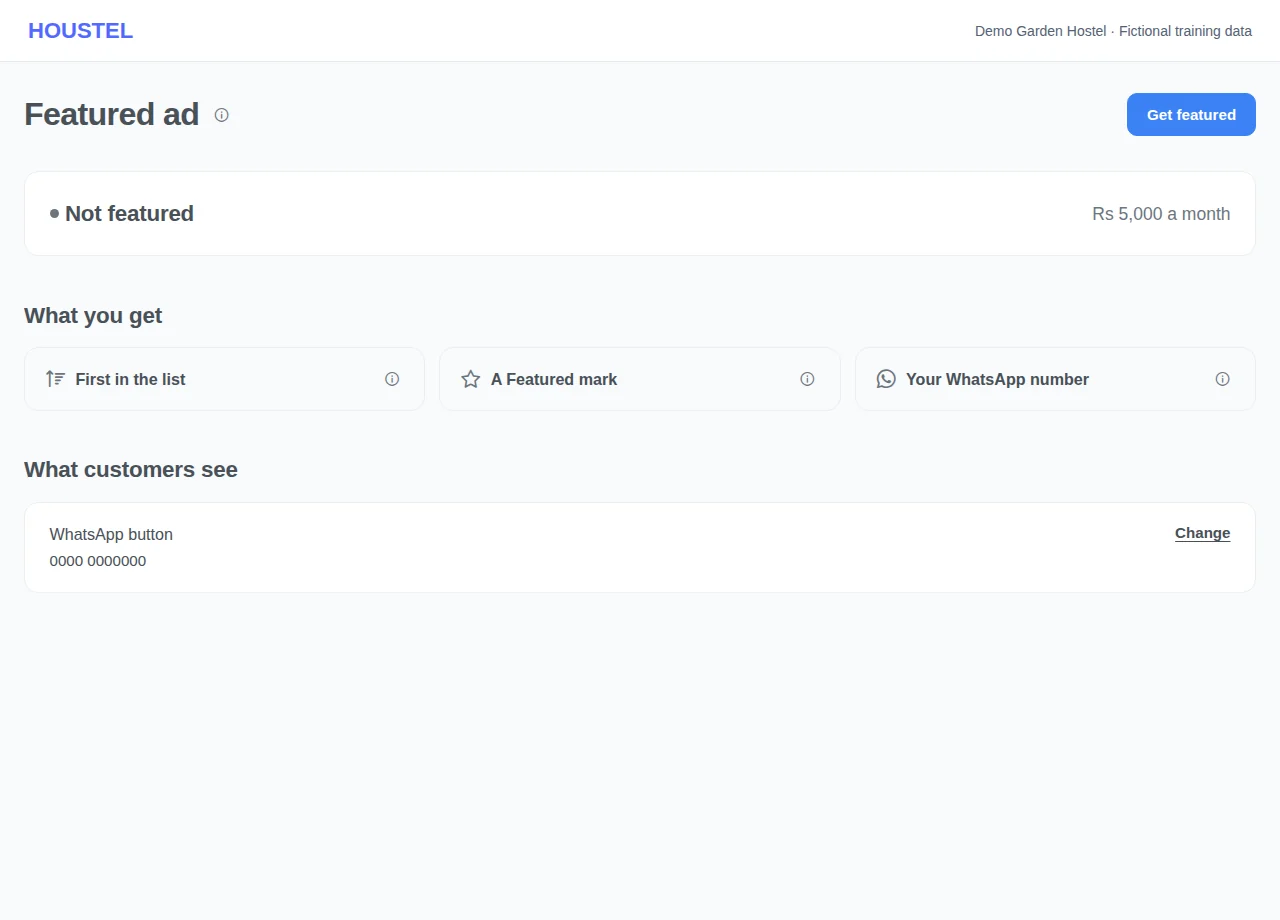
Open My Hostel → Featured Ads. The first line says whether your hostel is featured and until which day, and your price is beside it. A featured ad gives three things: your hostel is shown before other hostels in its city and area on houstel.pk, it carries a Featured mark, and customers get a View WhatsApp button that shows your number. Press the (i) beside each one to read more. Your hostel stays listed for free whether you take a featured ad or not.
See where your hostel stands · Example with dummy data. Select the image to enlarge. -
Ask for a featured ad
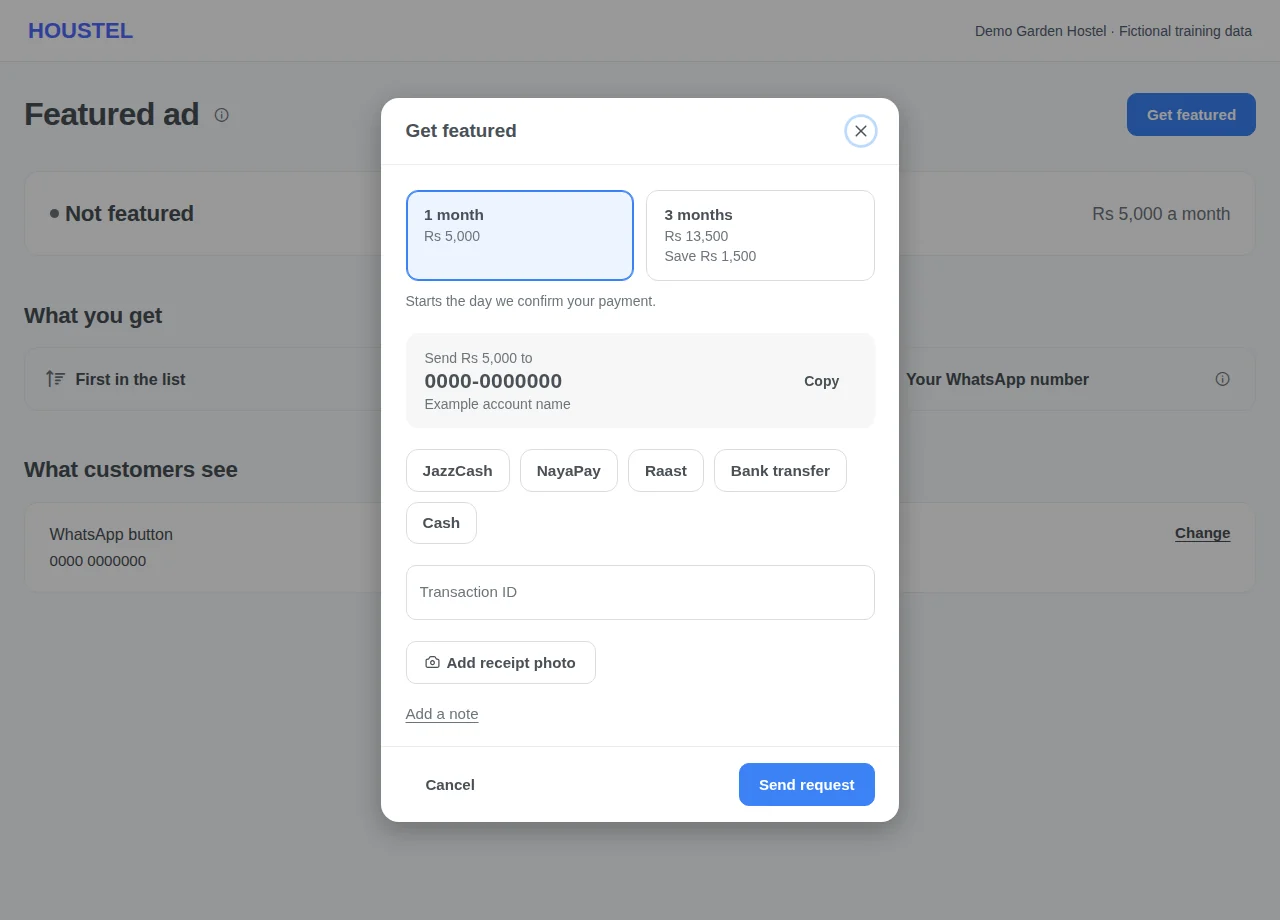
Press Get featured. Choose a package, send the amount shown to the account on the screen, choose how you paid, and add the transaction ID or a photo of the receipt. Cash paid in person needs neither. Press Send request. The page then says Waiting for approval. Your hostel is not featured yet, and you can cancel the request yourself while it is waiting.
Ask for a featured ad · Example with dummy data. Select the image to enlarge. -
Wait for the payment to be confirmed
The Houstel team checks the payment. When it is approved you get a notification and an email, and the page changes to Featured until, with the last day. If it is not approved you are told the reason and can send a new request. A request is not an approval: do not tell customers you are featured until the page says so.
-
Check what customers see and what the ad brought
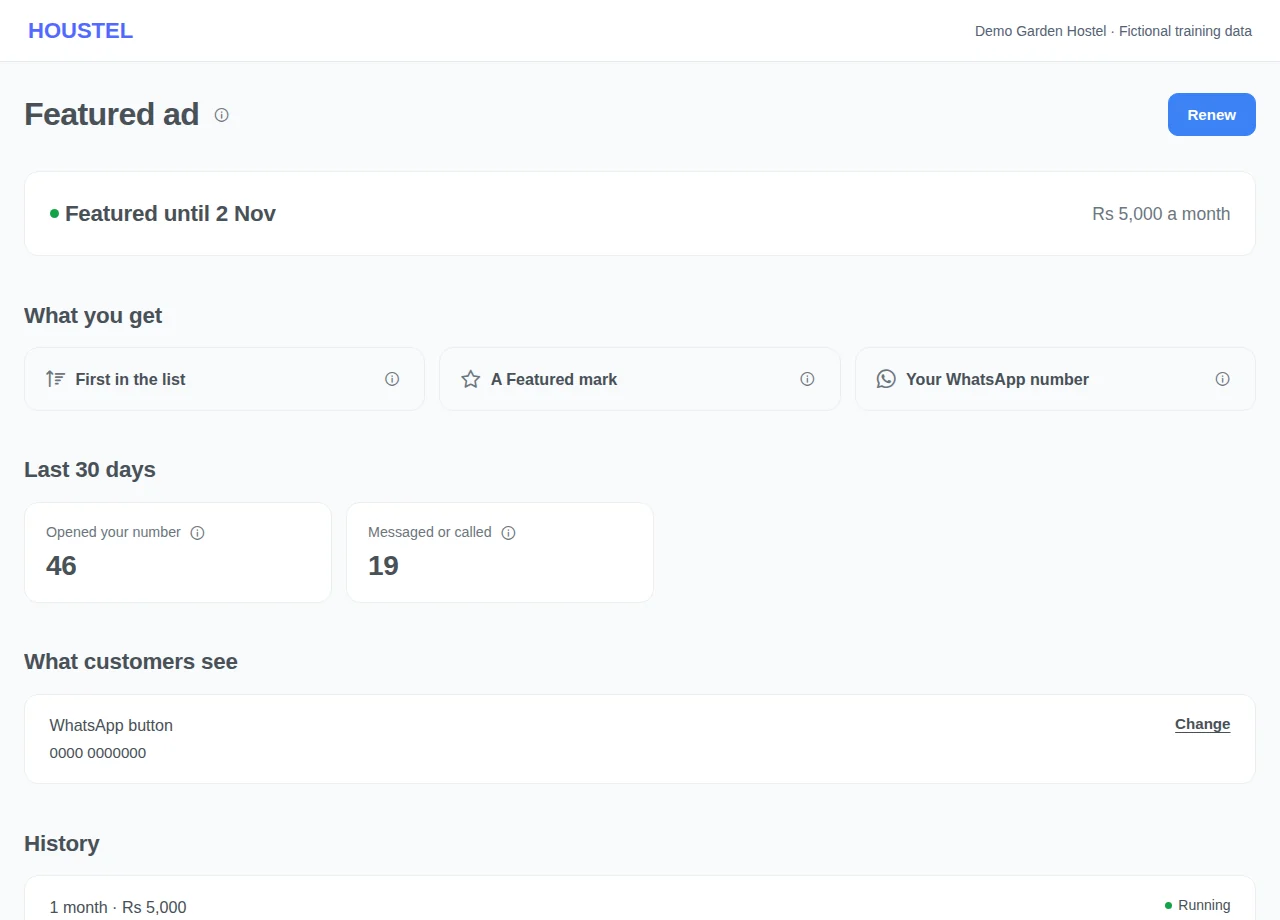
The number behind View WhatsApp is the one you chose under What customers see on your hostel page. Press Change to use a different number. If you chose to show customers no contact, your hostel has no WhatsApp button even while it is featured. Last 30 days shows how many times customers opened your number, and how many went on to message or call from our page.
Check what customers see and what the ad brought · Example with dummy data. Select the image to enlarge. -
Renew before the last day
You are reminded 7, 3 and 1 days before the last day. Press Renew and pay the same way. A renewal starts where the current period ends, so paying early loses nothing. If the last day passes, your hostel stays featured for 3 more days while you renew, and a renewal paid in those days still counts from the last day, not from the day you paid. After that your hostel goes back to its normal place in the list, and you can ask again at any time.
Before you finish, and when something goes wrong
- A featured ad is its own purchase. Paying for a software plan does not feature your hostel, and a featured ad does not need a plan. If Houstel has agreed to feature your hostel free of charge, the team adds it for you and this page shows it with its last day.
- Only one request can wait at a time. Do not pay twice because the status has not changed. Keep the transaction ID and ask Support privately to find the payment.
- You can ask only while your hostel is approved, switched on and its ad on houstel.pk is switched on. Otherwise the page says what to fix first.
- A featured ad does not guarantee visitors, enquiries or admissions. A customer who sorts the list by price, rating or distance sees that order first.
- The figures count presses of the button, not people or bookings. The same visitor opening your number again within half an hour counts once.
- The page shows your current price and packages, and they can change. To stop an ad early or ask about a refund, contact Support. A stopped period shows as Stopped with the reason.
If a save times out, check the record before repeating it. If access is denied, ask the owner to review your hostel assignment and permissions. Never share your login to work around an access restriction.
Related help
Still stuck?
Tell us the screen name, what you tried and what happened. Remove personal details, passwords and private links from any screenshot.