All guide chapters
Start here
Everyday running
- Residents
- Rent and payments
- Dues and reminders
- Deposits and advances
- Expenses and profit
- Mess and meals
- Reports and dashboard
- Laundry and food for residents
- Importing residents safely
- Room changes, checkout and resident requests
- Payment approvals
- Billing periods, installments and rent reviews
- Room electricity and resident charges
- Utility connections and bills
- Inventory and room assets
- Bank accounts and wallets
Filling your beds
Your team and residents
Inventory and room assets on Houstel.pk
Track hostel belongings, quantities, locations and condition so staff can reconcile what is in each room.
Step by step
Where to go: More → Inventory; room → Inventory
Who can use it: The hostel owner, or staff with access to this feature. Some actions need additional permission.
-
Add the item
Open Inventory and Add item. Choose its name, category, quantity and unit, then assign a room or keep it at hostel level.
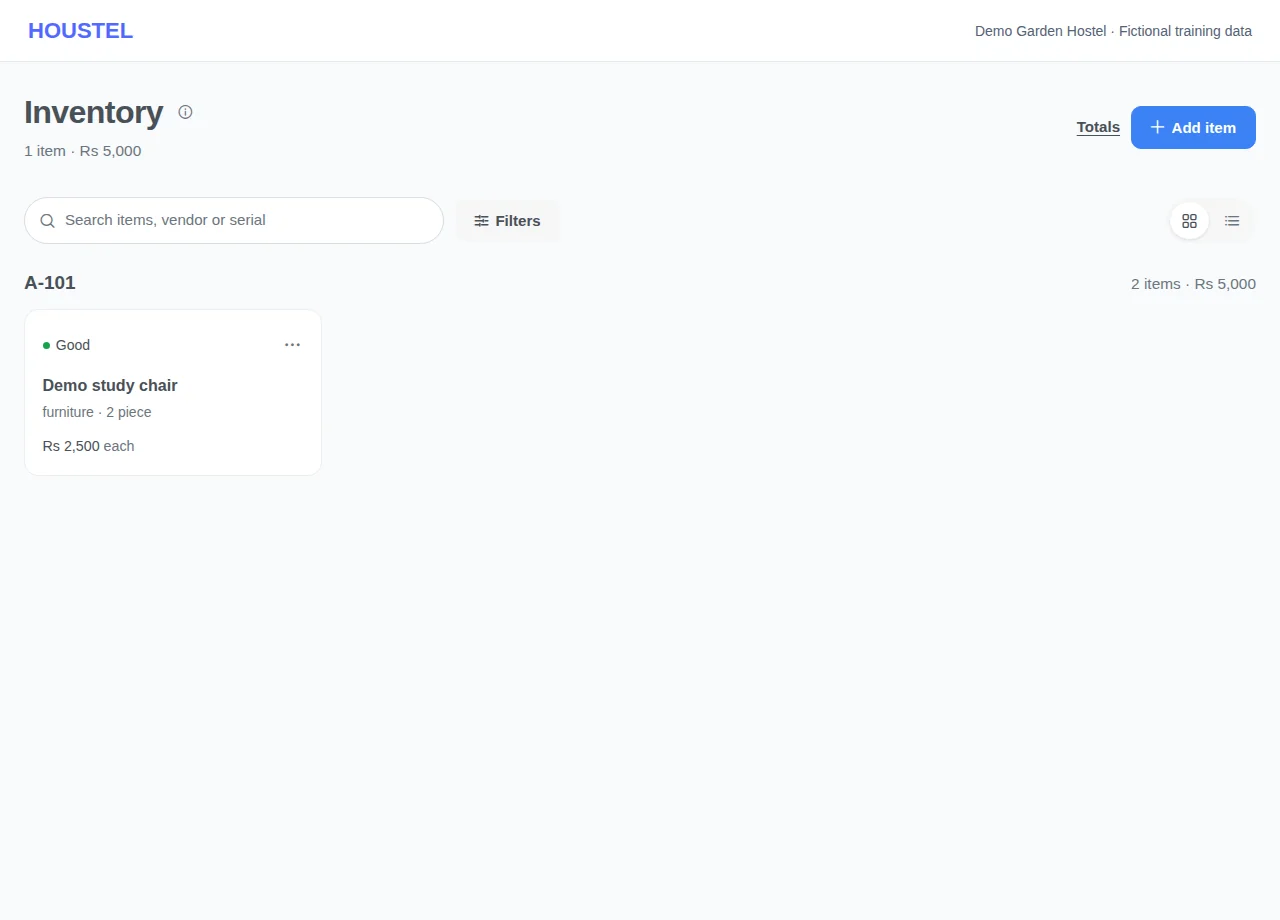
Add the item · Example with dummy data. Select the image to enlarge. -
Add purchase and condition details
Complete the purchase information and condition fields shown. Add useful item photos without people, documents or private information in the background. Save the record.
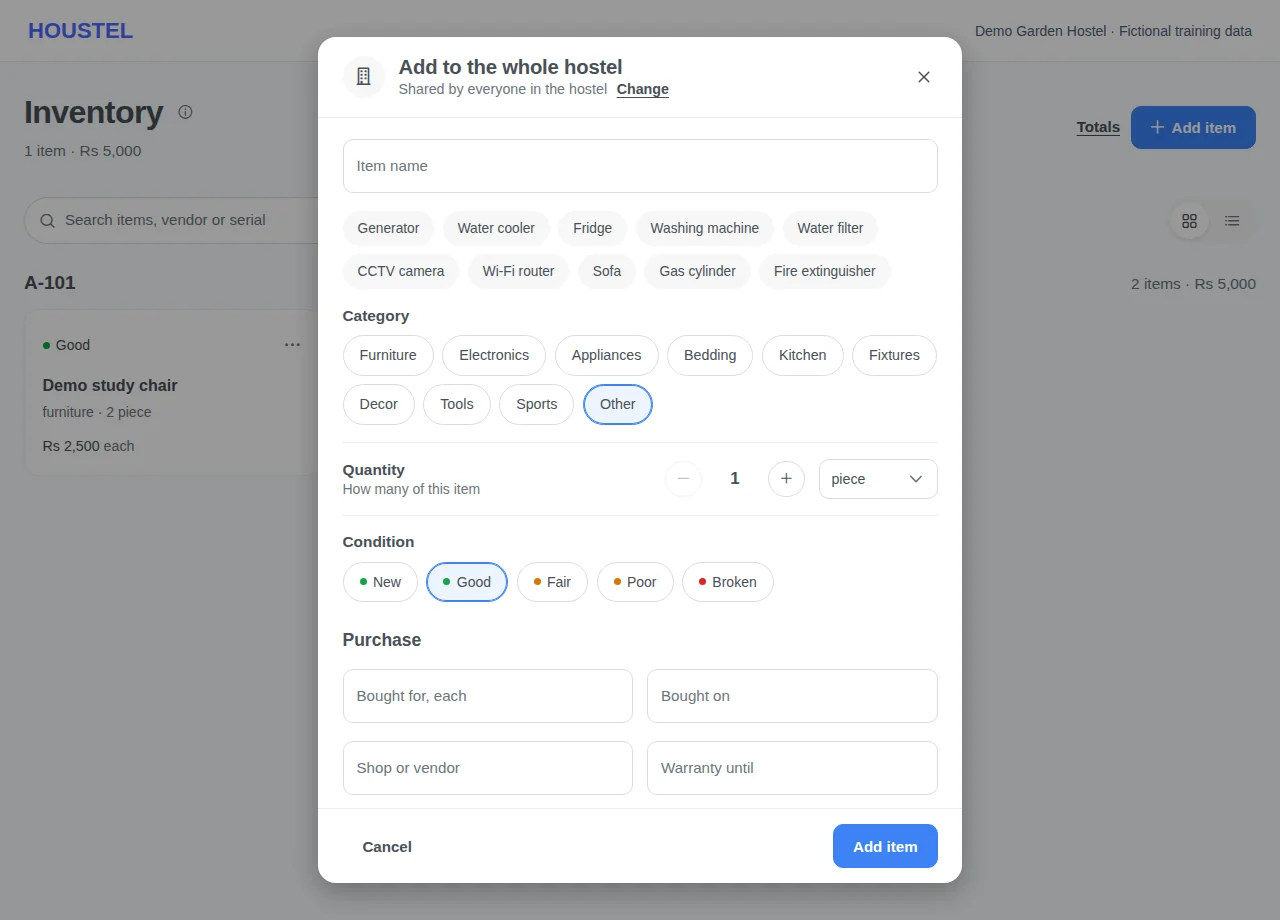
Add purchase and condition details · Example with dummy data. Select the image to enlarge. -
Reconcile and update
Filter by room or category, compare the list with a physical count, and edit an item when its location or condition changes. Check the consequences before deleting it.
Before you finish, and when something goes wrong
- A purchase value in Inventory is not automatically evidence of a paid expense. Keep the purchase receipt and check the expense ledger.
- Use consistent units: one set and one piece can mean different quantities. Reconcile damaged or missing items with the responsible staff.
- Moving a resident does not necessarily move furniture. Check room assets separately during moves and checkout.
- Use fictional items for training; never upload identity documents as inventory photos.
If a save times out, check the record before repeating it. If access is denied, ask the owner to review your hostel assignment and permissions. Never share your login to work around an access restriction.
Related help
Still stuck?
Tell us the screen name, what you tried and what happened. Remove personal details, passwords and private links from any screenshot.