All guide chapters
Start here
Everyday running
- Residents
- Rent and payments
- Dues and reminders
- Deposits and advances
- Expenses and profit
- Mess and meals
- Reports and dashboard
- Laundry and food for residents
- Importing residents safely
- Room changes, checkout and resident requests
- Payment approvals
- Billing periods, installments and rent reviews
- Room electricity and resident charges
- Utility connections and bills
- Inventory and room assets
- Bank accounts and wallets
Filling your beds
Your team and residents
Room electricity and resident charges on Houstel.pk
Record room meter readings, review the split between residents, and collect electricity charges accurately.
Step by step
Where to go: Payments → Electricity bills; Resident payments
Who can use it: The hostel owner, or staff with access to this feature. Some actions need additional permission.
-
Choose a room and month
Open Electricity bills, choose the month and Add bill. Select the room and check its last meter reading and tariff. Set up the room’s sub-meter if needed.
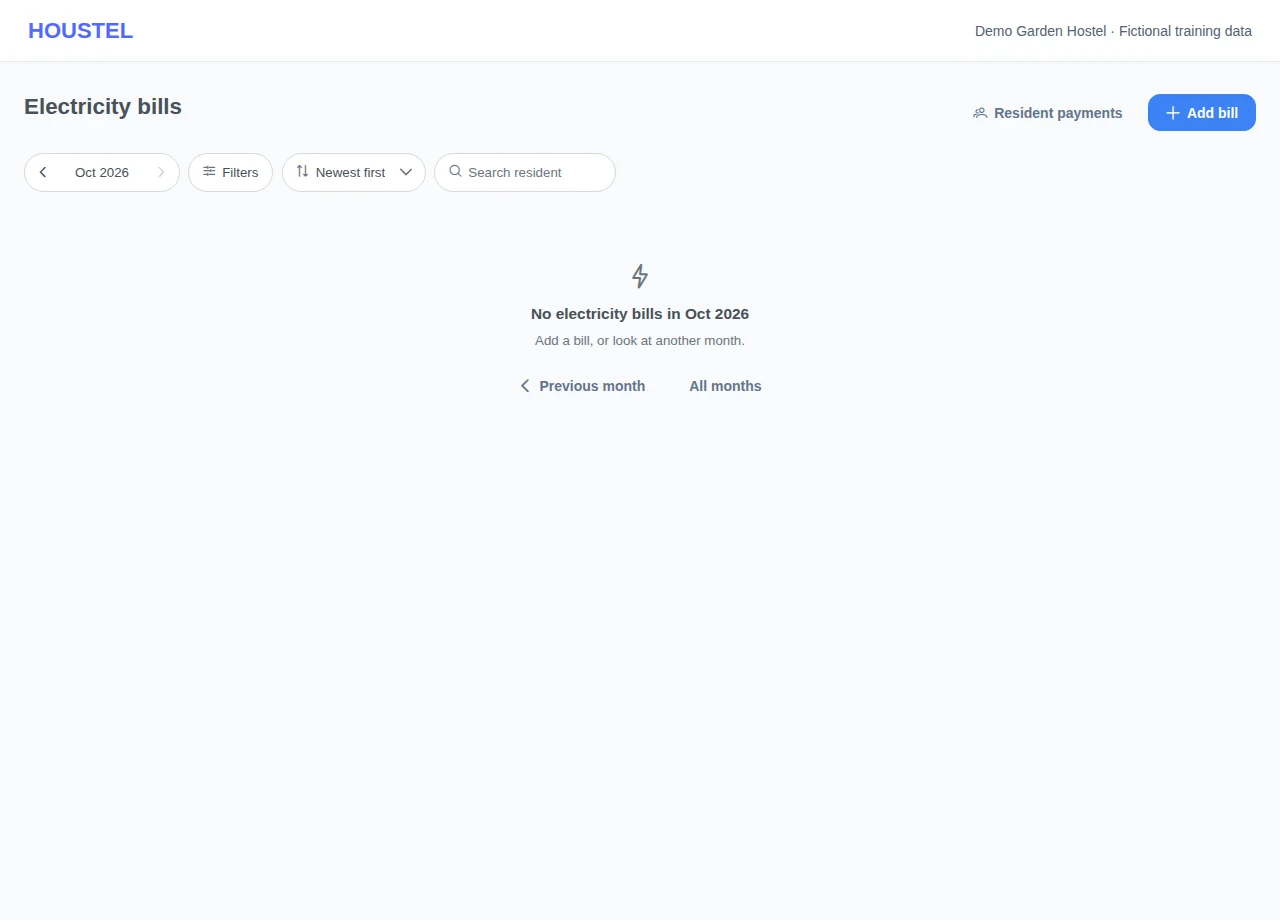
Choose a room and month · Example with dummy data. Select the image to enlarge. -
Review the calculation
Enter the current reading and any required bill details. If using a meter photo or AI reading, compare the suggested number with the actual meter. Review consumption, price per unit and the resident allocations before saving.
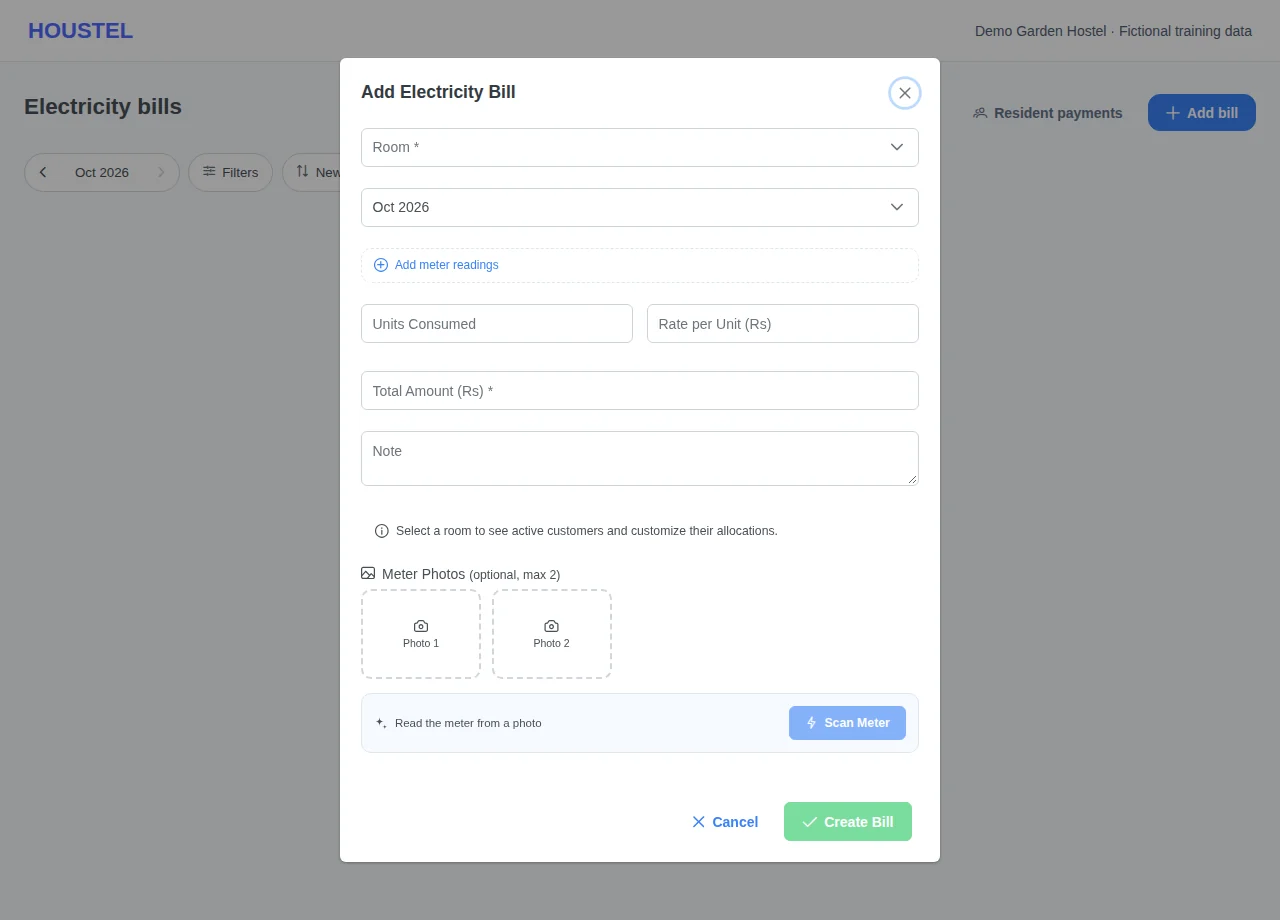
Review the calculation · Example with dummy data. Select the image to enlarge. -
Check and collect charges
Open the saved bill and Resident payments. Verify who occupied the room during that period and each charge. Record payment against the correct charge; recheck outstanding amounts afterwards.
Before you finish, and when something goes wrong
- A smaller reading can indicate an entry mistake, a replaced meter or rollover. Resolve the reason before charging residents; do not guess a value to make the form pass.
- Room changes, mid-month arrivals, departures and vacant days can change allocations. Review the actual residents and dates rather than dividing blindly by bed capacity.
- Correcting a bill that already has payments requires reconciliation. Check affected balances and tell residents about a correction.
- The hostel’s provider bill and the room charges are different records. Recording one does not mean the other has been paid.
If a save times out, check the record before repeating it. If access is denied, ask the owner to review your hostel assignment and permissions. Never share your login to work around an access restriction.
Related help
Still stuck?
Tell us the screen name, what you tried and what happened. Remove personal details, passwords and private links from any screenshot.