All guide chapters
Start here
Everyday running
- Residents
- Rent and payments
- Dues and reminders
- Deposits and advances
- Expenses and profit
- Mess and meals
- Reports and dashboard
- Laundry and food for residents
- Importing residents safely
- Room changes, checkout and resident requests
- Payment approvals
- Billing periods, installments and rent reviews
- Room electricity and resident charges
- Utility connections and bills
- Inventory and room assets
- Bank accounts and wallets
Filling your beds
Your team and residents
Importing residents safely on Houstel.pk
Move resident records from a spreadsheet, review row errors, and control notifications after importing.
Step by step
Where to go: Residents → Import; Manage Imported
Who can use it: The hostel owner, or staff with access to this feature. Some actions need additional permission.
-
Prepare the template
Download the current template and preserve its column headings. Enter one resident per row; check names, phone numbers, email addresses and identity details privately. Keep a secure copy of the original file.
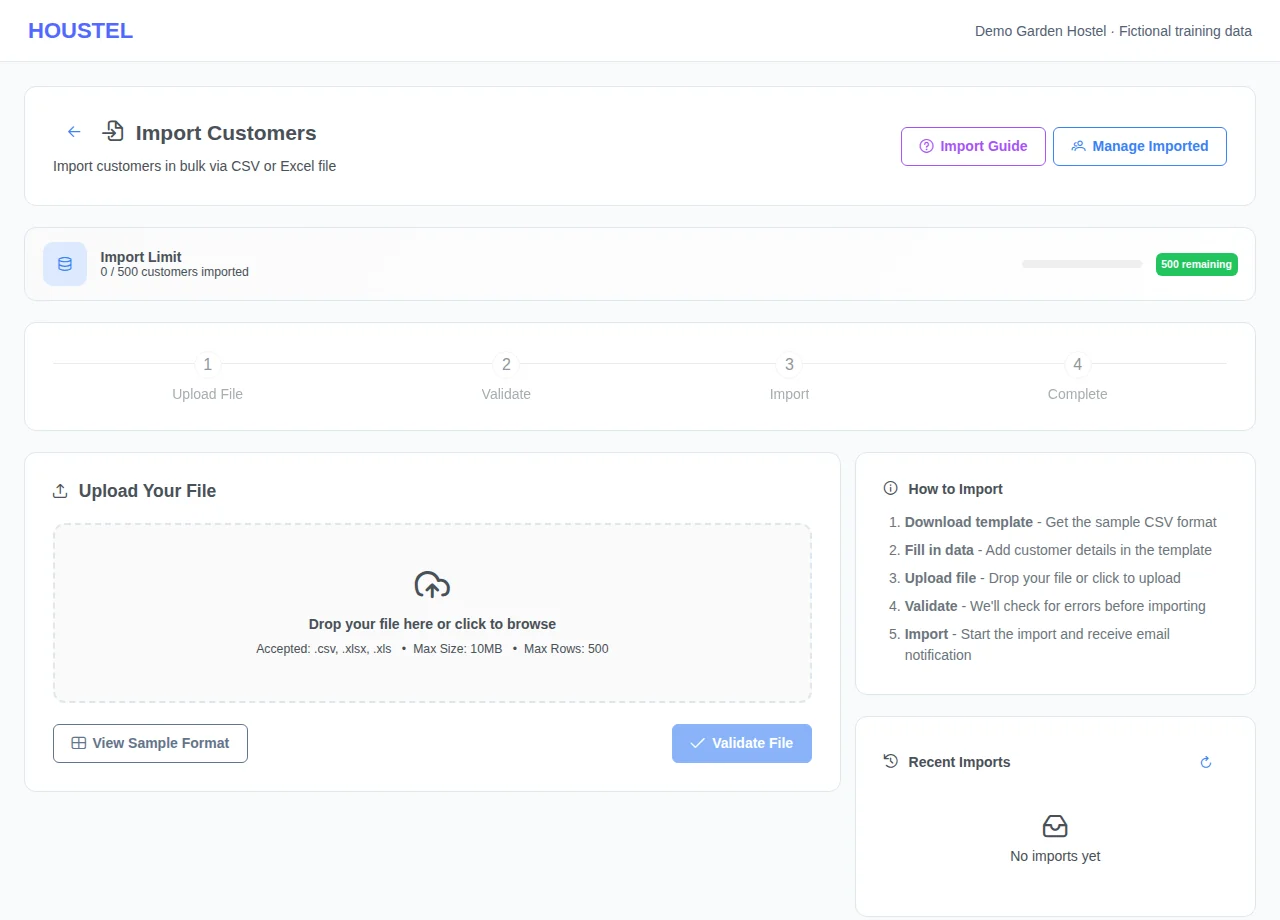
Prepare the template · Example with dummy data. Select the image to enlarge. -
Validate before importing
Select your CSV or Excel file and choose Validate File. Fix the errors shown and re-validate. If you choose to import only valid rows, keep the rejected-row list so those people are not forgotten.
-
Reconcile the result
Choose Start Import once. Wait for its status, then View Details and compare successful and failed rows. Check existing residents before retrying after a connection problem. Use Manage Imported to review who should receive notifications.
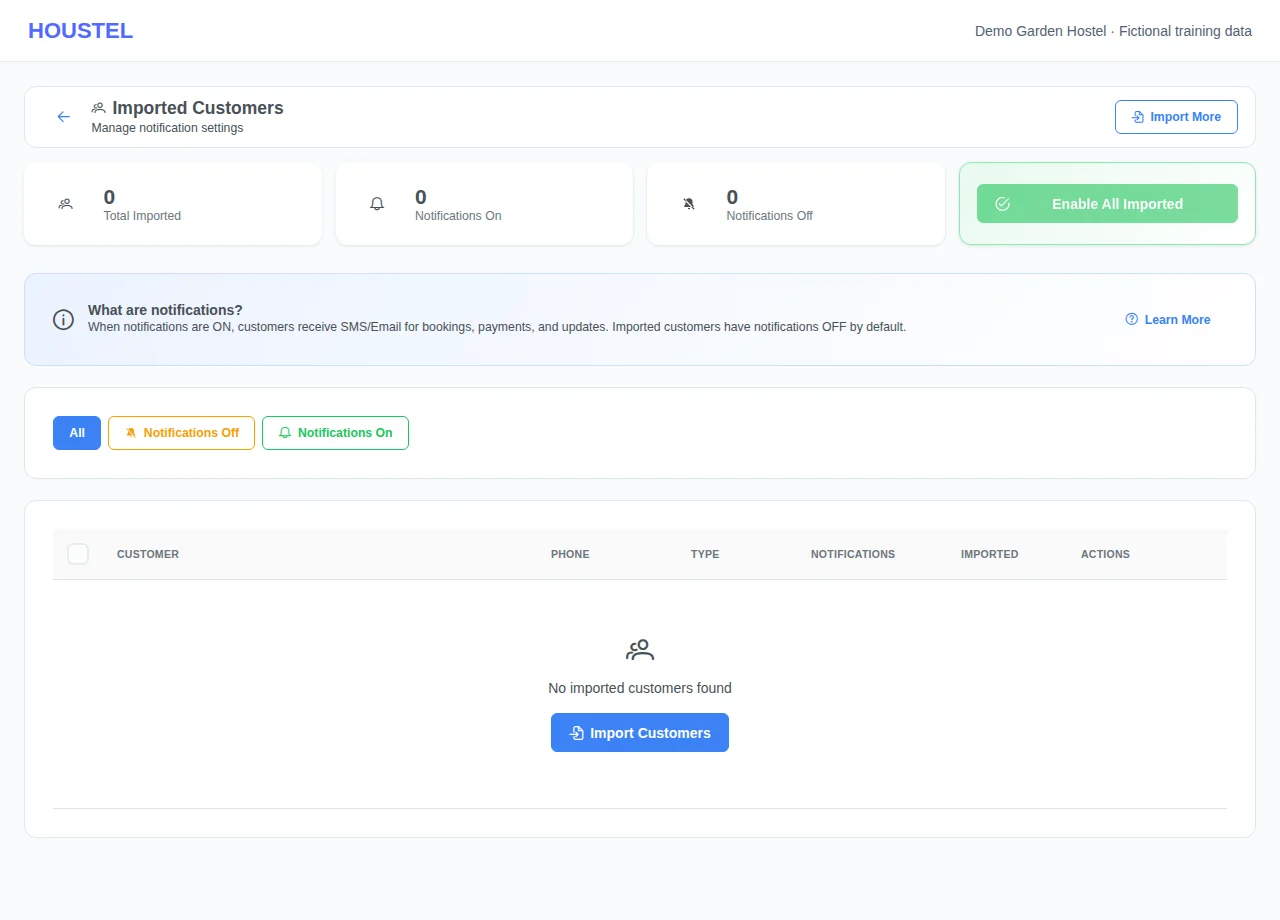
Reconcile the result · Example with dummy data. Select the image to enlarge.
Before you finish, and when something goes wrong
- Import availability depends on the feature being enabled for this hostel. Ask the owner or support if it is unavailable.
- A resident profile and a room booking are separate records. Verify bookings, occupied beds, opening dues and deposits after migration; do not assume a list of names establishes those balances.
- Imported residents have SMS/email notifications disabled by default. Enable them deliberately after verifying current residents and correct contact details.
- Do not upload sample copies of real spreadsheets to public tickets, the guide, or an AI chat. A partly completed import should be reconciled before uploading the whole file again.
If a save times out, check the record before repeating it. If access is denied, ask the owner to review your hostel assignment and permissions. Never share your login to work around an access restriction.
Related help
Still stuck?
Tell us the screen name, what you tried and what happened. Remove personal details, passwords and private links from any screenshot.