All guide chapters
Start here
Everyday running
- Residents
- Rent and payments
- Dues and reminders
- Deposits and advances
- Expenses and profit
- Mess and meals
- Reports and dashboard
- Laundry and food for residents
- Importing residents safely
- Room changes, checkout and resident requests
- Payment approvals
- Billing periods, installments and rent reviews
- Room electricity and resident charges
- Utility connections and bills
- Inventory and room assets
- Bank accounts and wallets
Filling your beds
Your team and residents
Getting help
If something is not working or not clear, there are three ways to reach a person, and one of them is WhatsApp.
Step by step
Where to go: Need help? tab on the right edge (phone: ⋮ → Chat with Houstel; sidebar: More → Chat with Houstel); WhatsApp or Contact Support / Feedback; Help Desk → Support Tickets for residents’ requests to your hostel
Who can use it: The hostel owner and every staff member, each from their own account. Residents and visitors have the same chat; Help Desk tickets need the support tickets permission.
-
Open Chat with Houstel
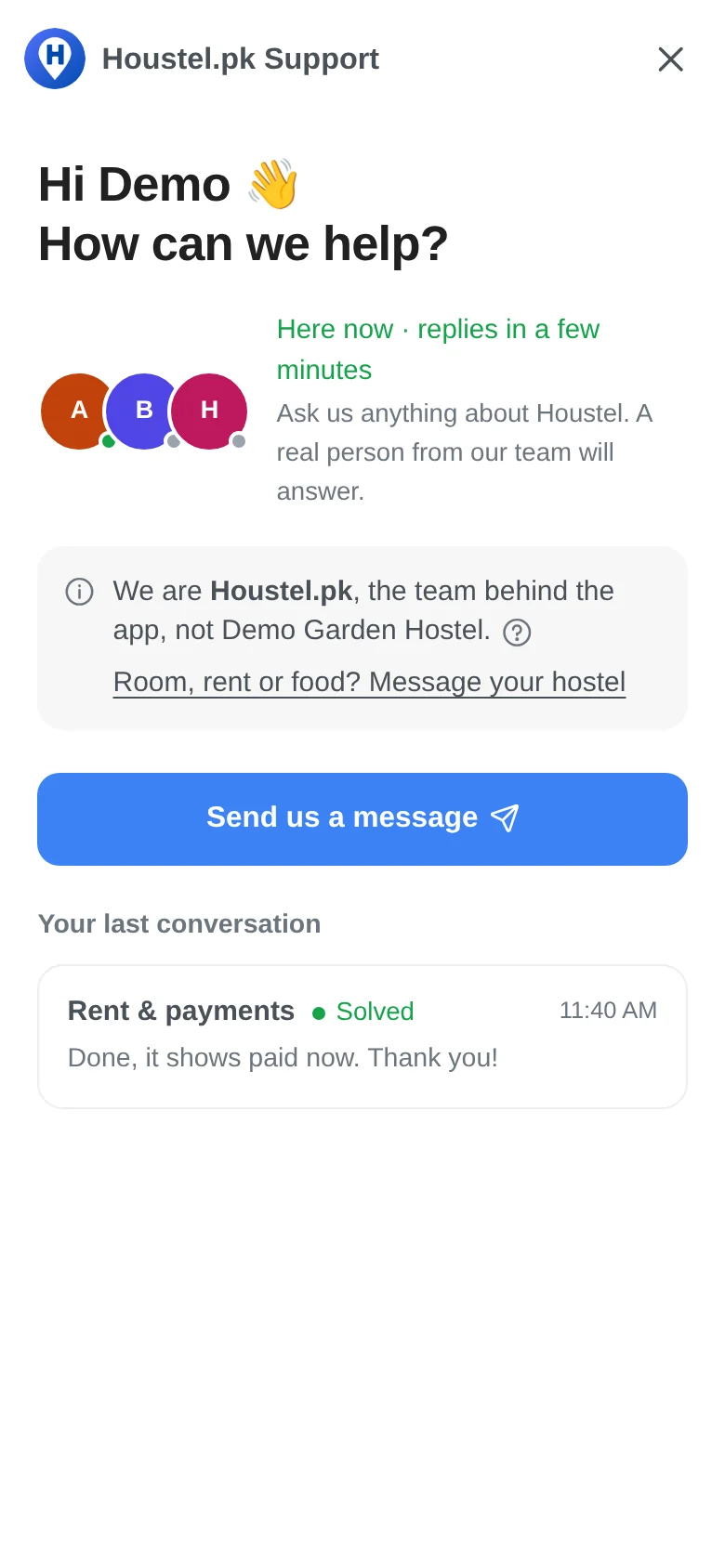
Choose Need help? on the right edge of any dashboard page, or Chat with Houstel in the phone ⋮ menu or under More. The window opens over the current page. A green dot and Here now mean a team member is signed in and taking chats; otherwise it shows the usual reply time or when the team is back (Pakistan time).
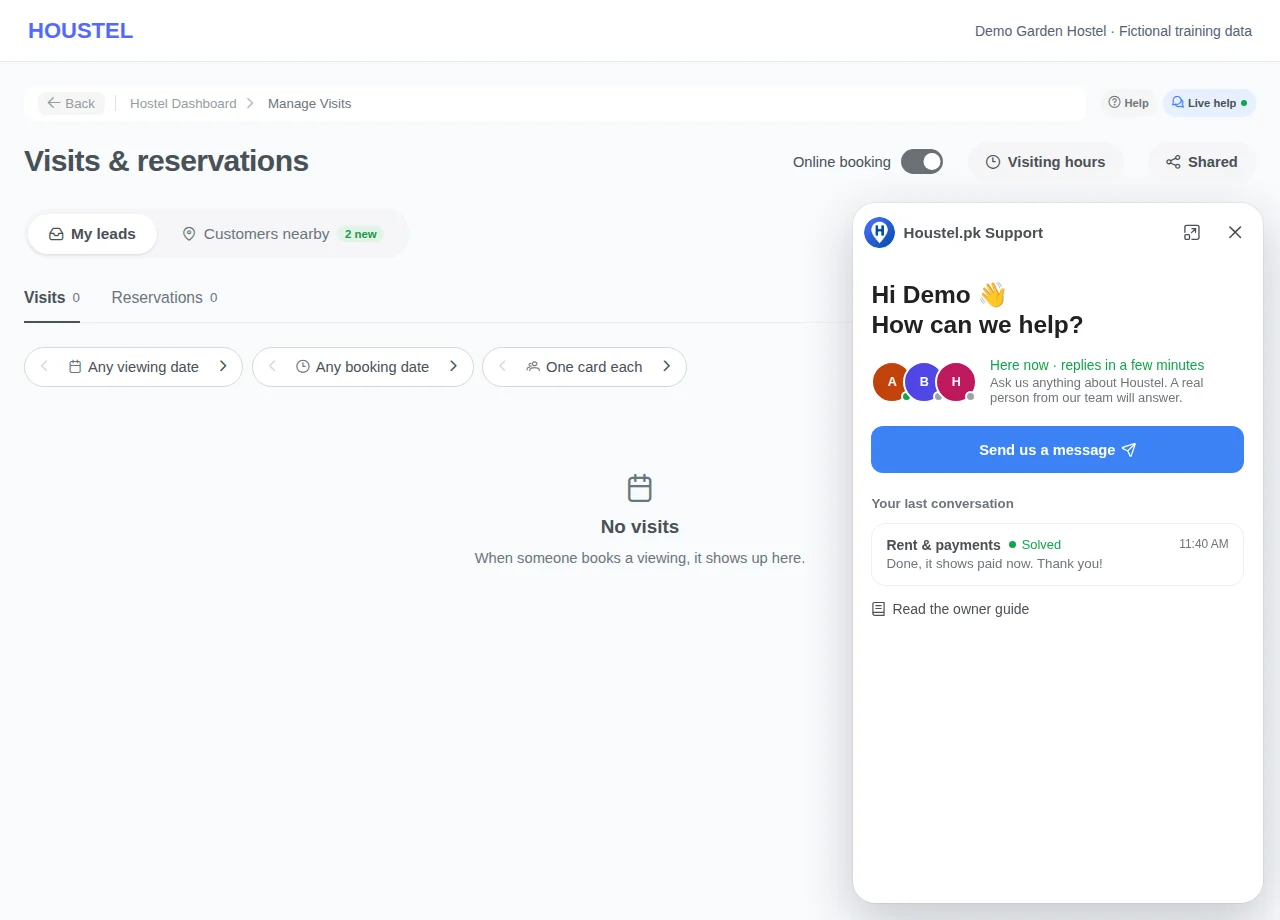
Open Chat with Houstel · Example with dummy data. Select the image to enlarge. -
Choose who, what, and describe it
Choose Send us a message, then Support agent (using Houstel, account, billing) or Developer (something broken); each choice says whether someone is here now. Then pick a topic or Skip this; Change takes you back. The message box appears at the bottom: describe what happened and what you expected, and add up to five screenshots of 10 MB each with + → Photo or screenshot. Hide CNIC numbers and bank details first. Never send a password or one-time code.
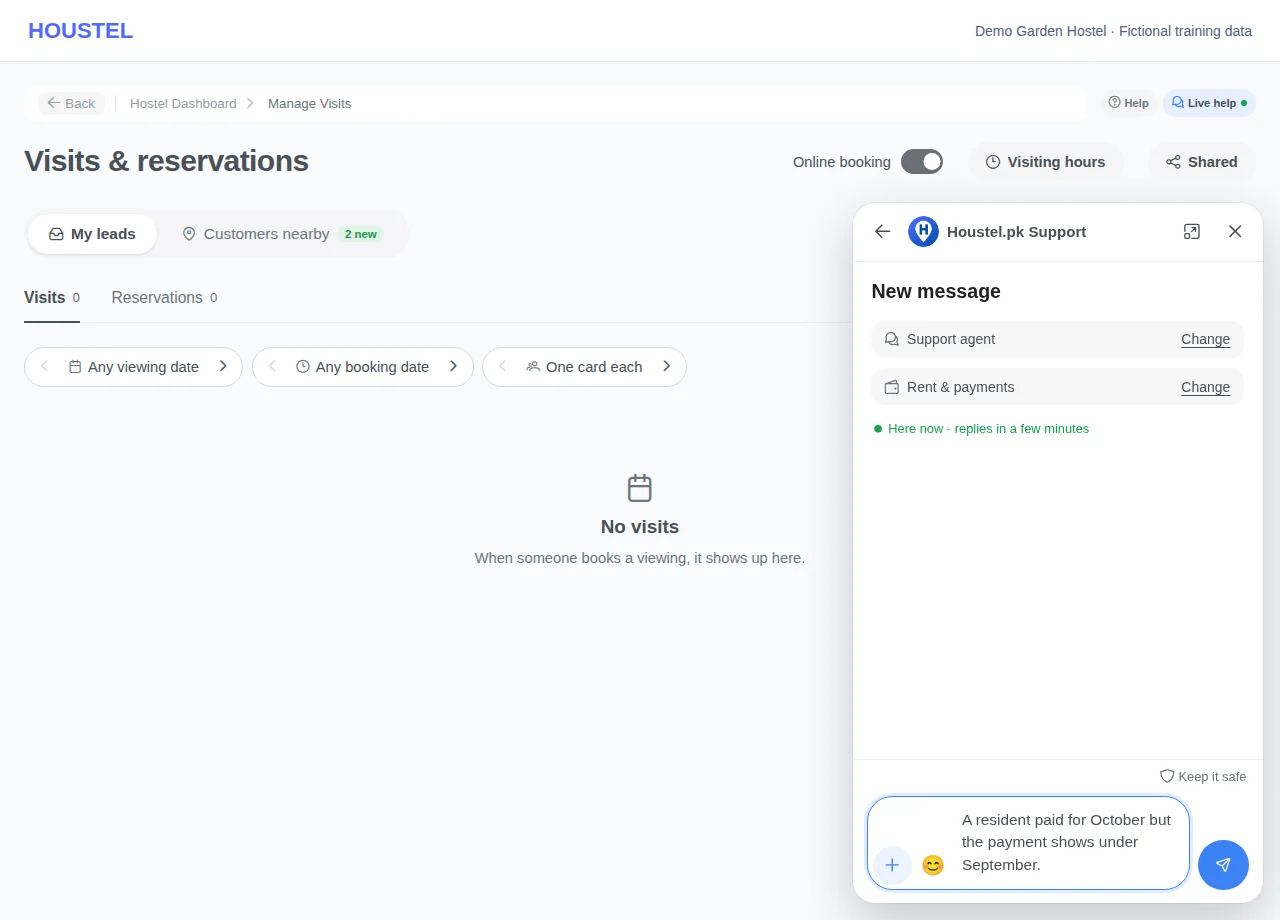
Choose who, what, and describe it · Example with dummy data. Select the image to enlarge. -
Read the reply and answer whether it is solved
A reply shows on the Need help? tab and as a card while you are on the dashboard; otherwise as a Houstel support notification. Unread after about 10 minutes, it is emailed to your account’s email; replies to that email are not read. When the team marks it solved, choose Yes, it’s solved (then rate) or No, I still need help.
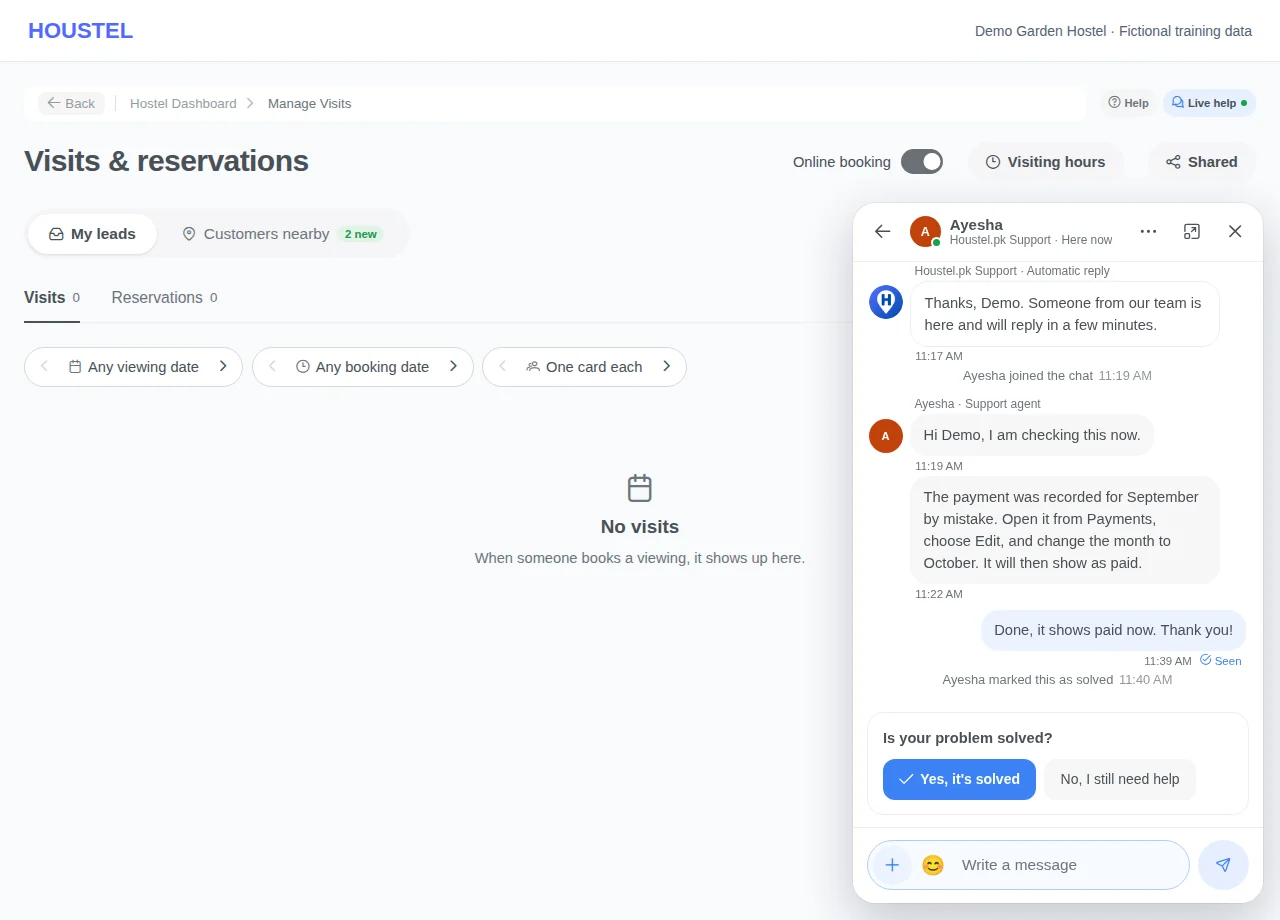
Read the reply and answer whether it is solved · Example with dummy data. Select the image to enlarge. -
Use WhatsApp or Contact Support / Feedback when needed
For something urgent while the chat says the team is away, use the official WhatsApp link. Contact Support / Feedback still records a written request. Help Desk → Support Tickets and Complaints concern residents’ issues with your hostel; they are not sent to Houstel.
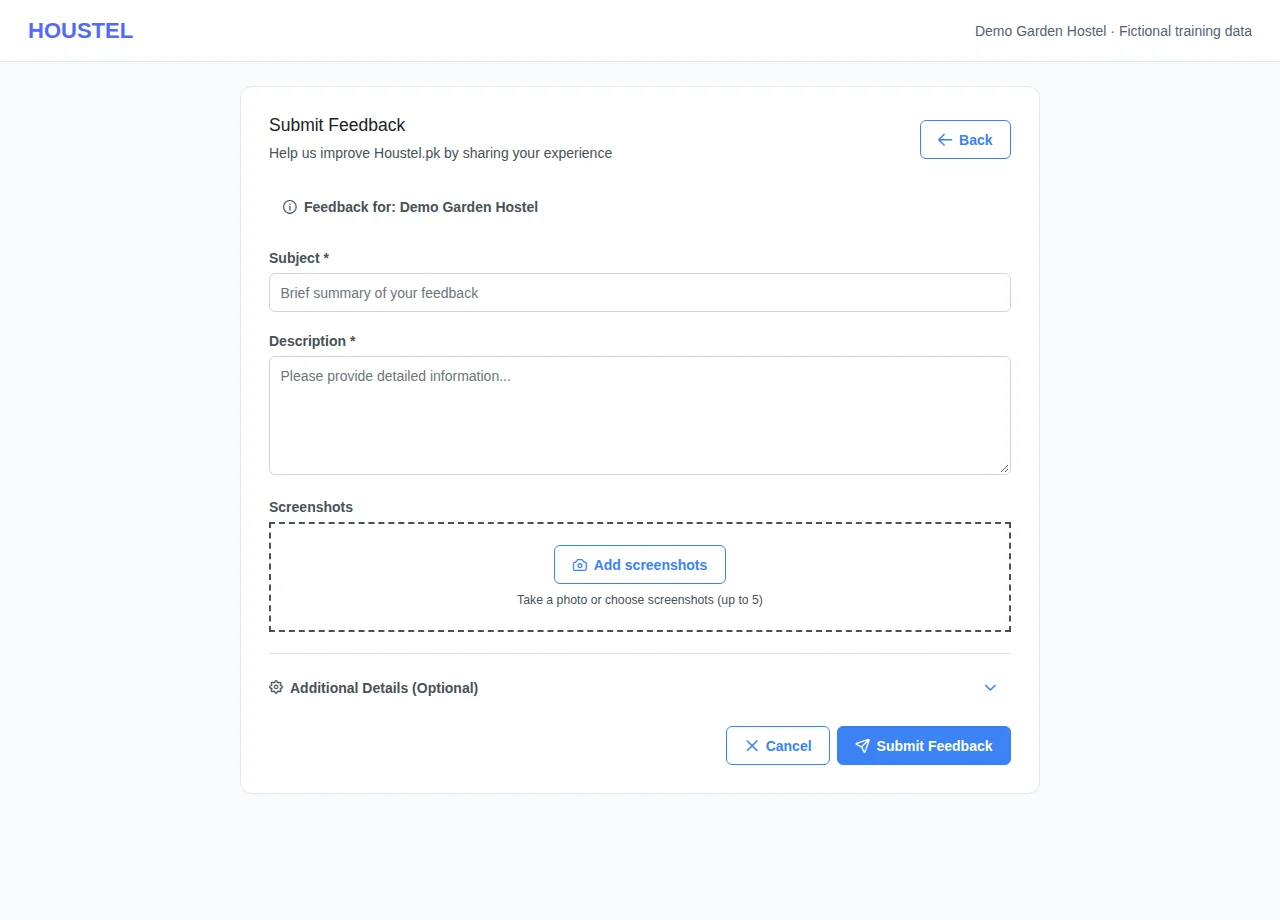
Use WhatsApp or Contact Support / Feedback when needed · Example with dummy data. Select the image to enlarge. -
Open tickets sent to your hostel
For a resident’s maintenance or service issue, open Help Desk → Support Tickets. Filter by status or priority, search if needed and open the ticket. Read the original message and replies before acting. These tickets are handled by your hostel team.
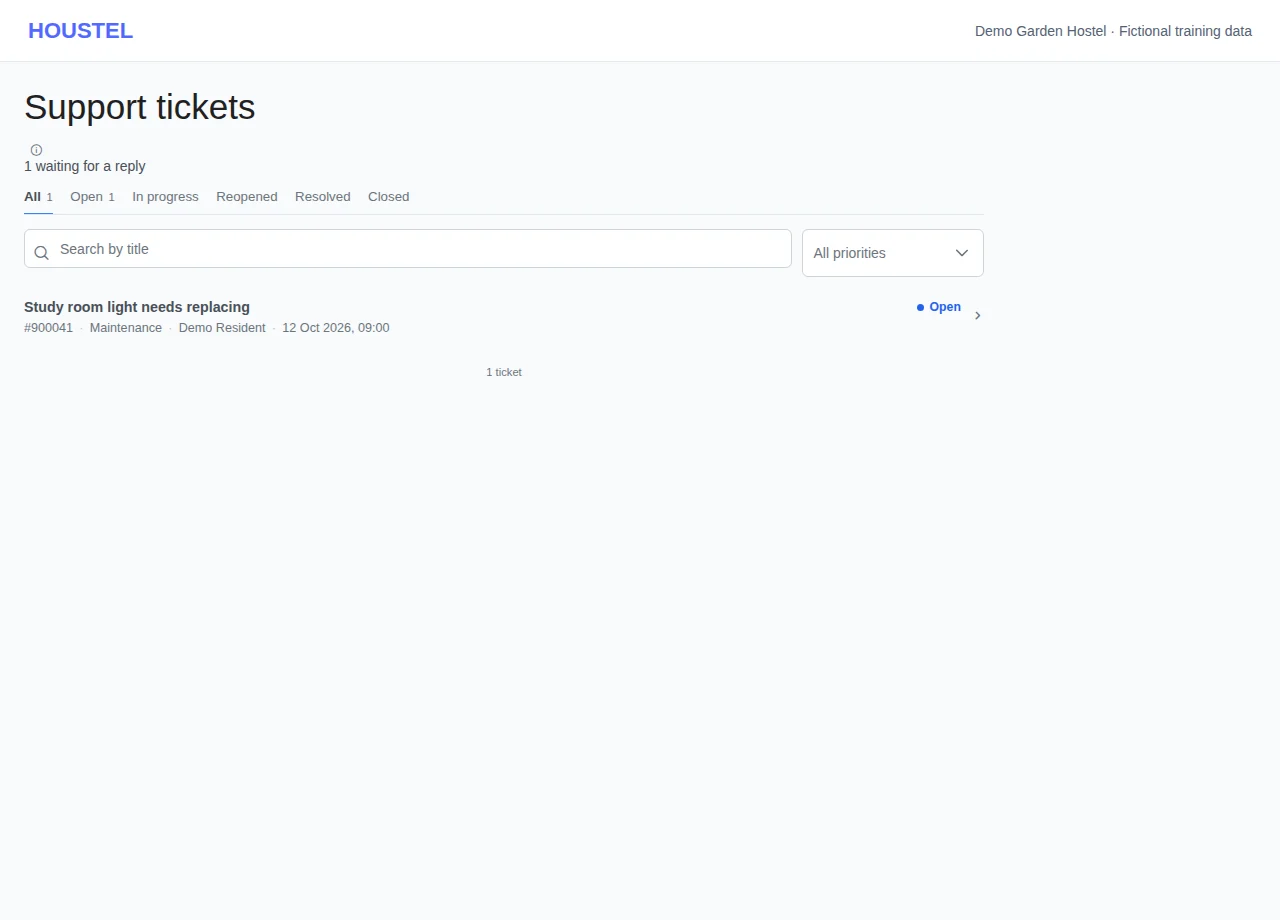
Open tickets sent to your hostel · Example with dummy data. Select the image to enlarge. -
Reply, leave a team note and resolve
Check the Internal note switch before sending: an internal note is for the hostel team and does not notify the resident. Turn it off to send a reply to the resident. Use Mark in progress, Mark resolved or Close ticket as appropriate; the optional status message is emailed to the resident. Verify the repair or service outcome before resolving.
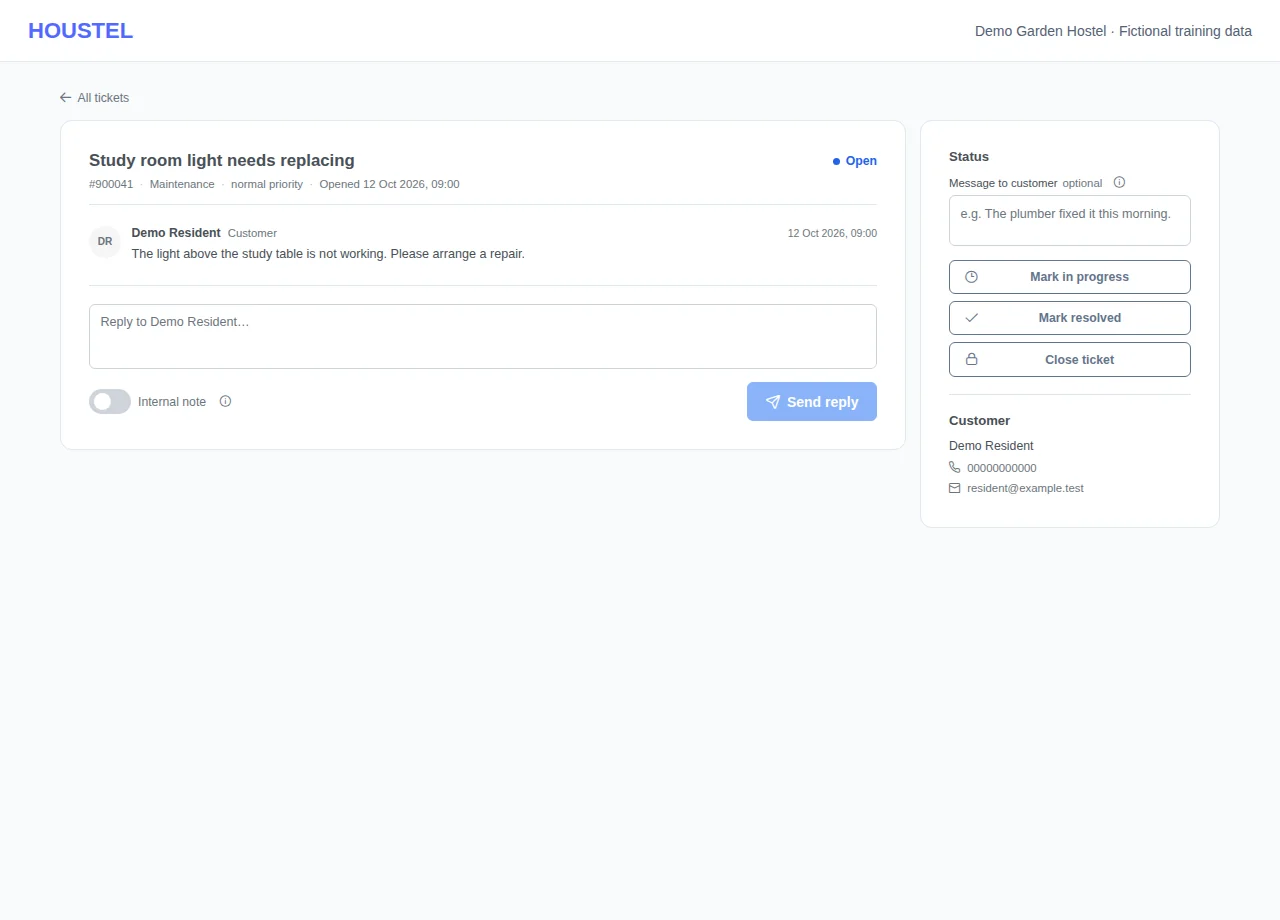
Reply, leave a team note and resolve · Example with dummy data. Select the image to enlarge.
Before you finish, and when something goes wrong
- The chat is with the Houstel.pk team, not a hostel. Residents see the same window, labelled as Houstel.pk, and room, rent, food or rule questions are sent back to their hostel; the team does not change hostel records for a resident.
- Up to three open conversations at a time. A closed conversation takes no new messages: start a new one. A conversation waiting for your answer is marked solved after a quiet week and closed after another.
- Here now and the reply time are estimates from who is signed in and recent replies, not a guaranteed response time. The chat is not for emergencies.
- If private details were sent by mistake, ask in the chat: the team can remove the message and its picture for everyone. A removed message cannot be recovered.
- Only send sensitive identifiers through a verified private support channel when needed. Never paste a whole database export or unredacted resident ledger.
- If a guide instruction no longer matches the screen, report the chapter URL, screen name and missing step through Contact Support. Do not attach a real resident record.
- A reply from the resident can reopen a closed ticket. Check reopened tickets as well as new ones. The list’s waiting count is not a count of completed repairs.
- Internal notes and resident replies have different audiences. Do not include another resident’s details, passwords or payment credentials in either.
- A support ticket does not summon emergency help. For immediate danger, get on-site or local emergency assistance first.
If a save times out, check the record before repeating it. If access is denied, ask the owner to review your hostel assignment and permissions. Never share your login to work around an access restriction.
Related help
Nobody should be stuck for a day on something that takes us two minutes to answer. The quickest way to reach us is the live chat inside your dashboard: a real person from the Houstel team answers it.
Resident Support Tickets and Complaints are handled by your hostel. To reach the Houstel team, use Chat with Houstel, WhatsApp or Contact Support / Feedback.
Help from the page you are using
Choose Help with this page at the top right, beside the breadcrumb. It opens the relevant guide in a new tab, so your dashboard stays open. In a narrower window it may appear just below the breadcrumb. On a phone, open the ⋮ menu at the top right and choose Help with this page. On Residents it opens the residents guide; on Visits & reservations it opens enquiries and visits.
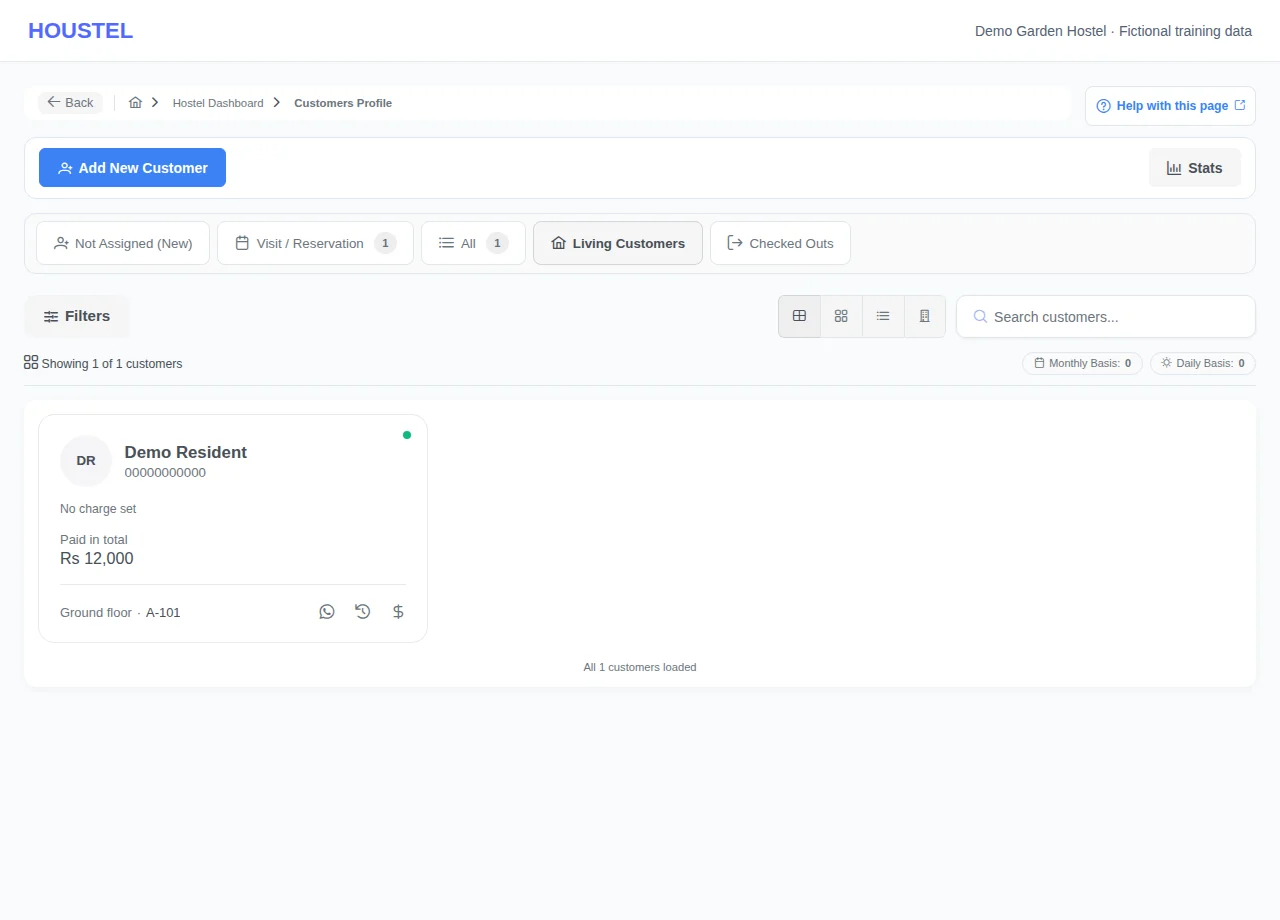
Chat with Houstel support
Choose Live help at the top right of any dashboard page, beside Help. On a phone, open the ⋮ menu and choose Live help. It is also in the sidebar under More → Chat with Houstel. A small window opens over the page you are on, so you do not lose your place. Use ⤢ to make it bigger. Help, beside it, opens this guide at the chapter for the page you are on, or at the guide's first page when that page has no chapter of its own.
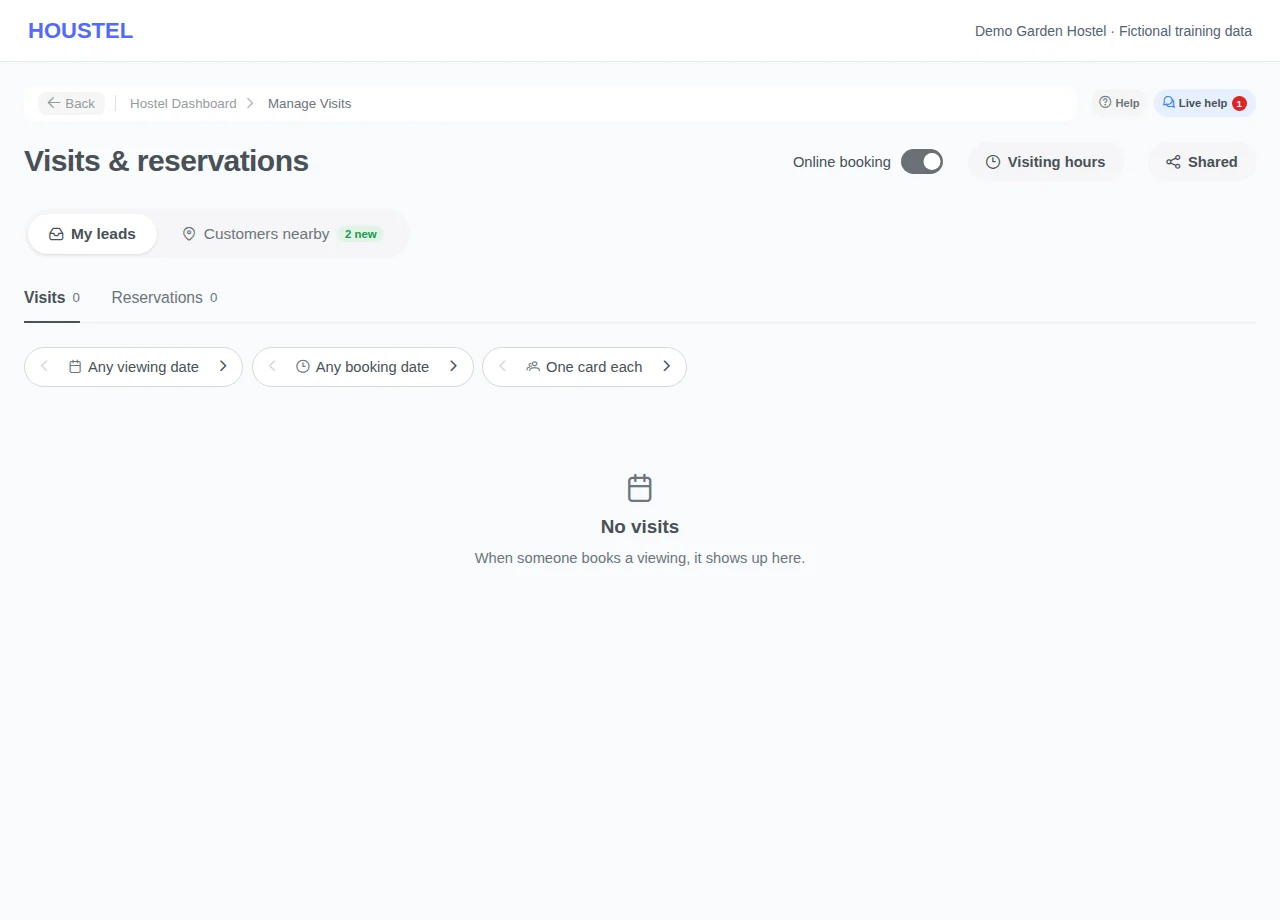
The window shows who is on the team. A green dot and Here now mean someone is signed in and taking chats. Otherwise it says an agent will join shortly and how long a reply usually takes, measured from our real replies, or when the team is back. Team hours are in Pakistan time.
- Choose who to talk to Choose Send us a message, then Support agent for how to use Houstel, your account or billing, or Developer when something is broken or not working. Each choice says whether someone is here now.
- Choose what it is about Pick one topic, such as Rent & payments or Rooms & beds, or choose Skip this. The team sees it before reading your message. Change beside either choice takes you back to it.
- Describe it and add screenshots The message box appears at the bottom of the window. Say what happened and what you expected. Choose + → Photo or screenshot, or paste or drop a picture into the window: up to five at a time, 10 MB each (JPG, PNG, WebP or GIF). Hide CNIC numbers and bank details first.
- Send The conversation opens straight away and your message shows as sending until it is saved; if it cannot be sent, choose Try again. An automatic answer says when to expect a person and where the reply will reach you, and the chat shows that an agent will join shortly until one does. You can close the window and carry on working.
When we reply
- Live help shows a number, and a card with the reply appears at the bottom right of the page while you are on the dashboard.
- If you are not on the dashboard, you get a Houstel support notification in the bell, and on your phone if notifications are switched on.
- If the reply is still unread after about 10 minutes, we email you the conversation, to the email on your account. Replies to that email are not read: open the chat from its button to answer.
- Under your last message, Seen means the team has read it. … is typing means someone is writing to you.
Solved, not solved, and closed
- When the team marks your conversation solved, the chat asks Is your problem solved? Choose Yes, it's solved to close it and rate our help, or No, I still need help to reopen it. The team is told straight away.
- Writing in a solved conversation also reopens it. You can mark it solved yourself from ⋯ → My problem is solved.
- From ⋯ you can also move the conversation to the developer, or back to a support agent.
- A conversation waiting for your answer is marked solved after a quiet week, and a solved one closes after another quiet week. A closed conversation takes no new messages: choose New conversation, and the team can see the earlier one.
- You can have up to three open conversations at once. Carry on in one of them, or mark one solved, to start another.
Your staff, and what the team sees
Your staff can use the chat with their own account. The team sees the name and role of whoever wrote, the branch they wrote from, the page they were on and the kind of device. They never see passwords. The chat is not for emergencies: for immediate danger, get local help first.
Never send a password or a one-time code, here or anywhere; we will never ask for one. If you sent private details by mistake, tell us in the chat and the team can remove that message and its picture for everyone.
What your residents see
Residents have the same Live help button. It says clearly that it is Houstel.pk, the team behind the app, not your hostel, and offers a link to message their hostel about room, rent or food. If a resident asks us something that is yours to decide (a room, rent, food, rules, or a payment you recorded), we reply that it is for the hostel and give them a button to message you. We do not change your records for them.
The ways to reach us
| Route | Best for |
|---|---|
| Chat with Houstel Live help, or More → Chat with Houstel |
Most questions, and anything easier to show with a screenshot. You are told in the dashboard, and by email, when we reply. |
| Anything urgent, especially when the chat says the team is away. | |
| Contact Support / Feedback More → Contact Support |
Something that needs looking into properly, where you want a record of the conversation. |
| Contact us The public contact page |
A suggestion, or something that works but should work better. These genuinely get read. |
Message us on WhatsApp
Include a redacted screenshot if it helps explain the issue. Never send a password or one-time code.
Getting a faster answer
Support can only be as quick as the information they are given. Three things turn a four-message conversation into one:
- Send a screenshot Show the relevant error, with names, identity details, account numbers and private links removed.
- Say which hostel If you run more than one, name the branch.
- Say what you expected “The resident shows as unpaid but I recorded Rs 8,000 on the 3rd” tells us where to look. “Payments not working” does not.
Help getting started
If you are moving off a paper register or a spreadsheet, you do not have to do it alone. Contact support first to agree a secure way to share only the records needed for the import. Do not post a resident list or identity documents in a public message. This is a normal request, not a favour. Most hostels arriving with a full building do exactly this.
Worth checking before you message
Three questions come up constantly, and each has a chapter here:
- “My hostel is approved but not showing on the website.” Almost always a missing photo, floor or room. See the five conditions.
- “The dashboard and the payments page show different totals.” They answer different questions, as why money-in and money-billed differ.
- “A resident says they never got the message.” Usually a missing phone number, or an opt-out, as why a message may not arrive.
Telling us what is missing
A lot of what is in the dashboard is there because a hostel owner asked for it. If something about your hostel does not fit the way the system works, whether that is an unusual billing arrangement, a charge that has nowhere to go or a report you keep building by hand, tell us. That is genuinely useful information, and it is how the next version gets better.
In short
- Chat with Houstel (Live help) is the quickest way to reach us: choose a support agent or the developer, add screenshots, and you are told when we reply.
- WhatsApp and Contact Support / Feedback also reach the Houstel team. Resident tickets are handled by your hostel.
- Send a screenshot, name the branch, and say what you expected to happen.
- Ask for help importing your existing residents. It is a normal request.
- Three of the most common questions already have answers in this guide.
- Feature requests are read. Tell us what does not fit your hostel.
Common questions
What is the fastest way to get help?
Use Contact Support or the official WhatsApp contact. Include the page name, what you expected and what happened. Remove resident details, payment information and account secrets from any screenshot.
Can you help me move my existing records in?
Use the resident import workflow, or contact support for help preparing your file. Ask for the approved private transfer method before sharing records; do not post resident lists or identity documents in public messages.
Still stuck?
Tell us the screen name, what you tried and what happened. Remove personal details, passwords and private links from any screenshot.