Houstel.pk now has an AI assistant built in. This guide covers what to actually ask it, and — just as usefully — what it will not do.
Where to Find It
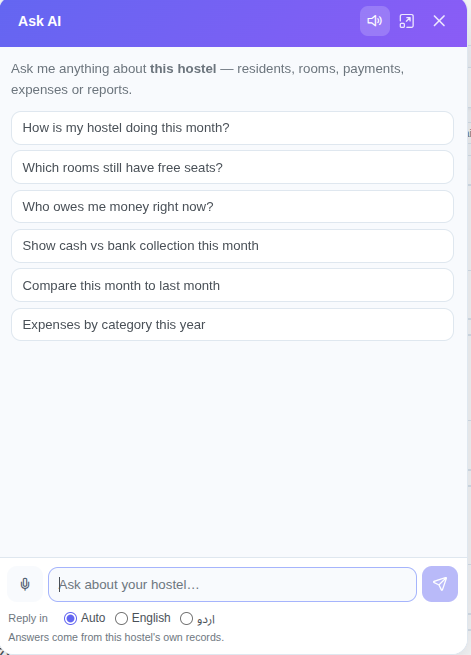
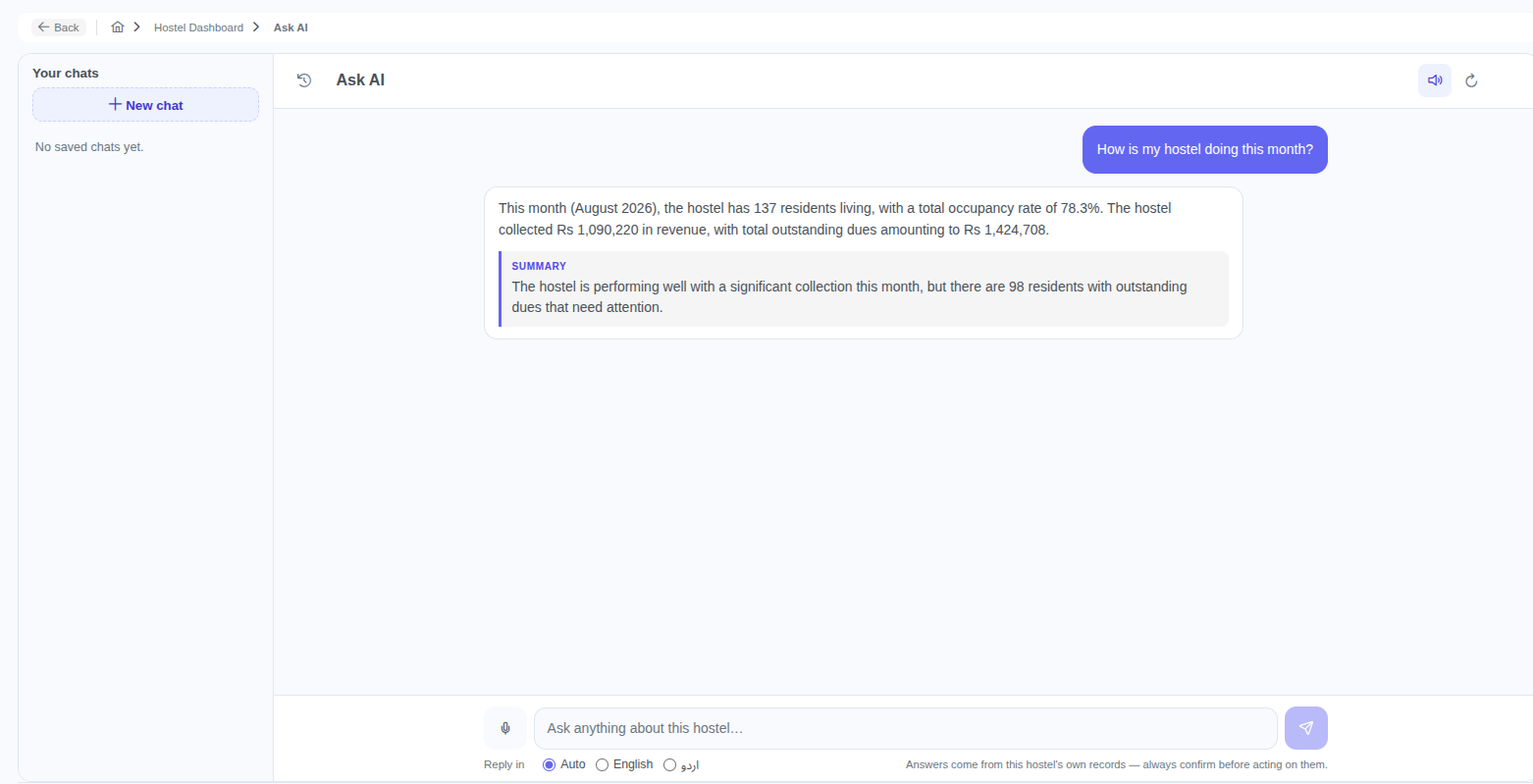
Look for the Ask AI button in the bottom-right corner of your hostel dashboard. It follows you across every page, so you never have to navigate somewhere to ask a question. Click the expand icon for a full-screen view with your saved chat history down the side.
The Daily Questions
These are the ones most owners ask first, and the assistant handles them directly:
- “How is my hostel doing this month?” — residents, occupancy rate, collection, expenses, profit and outstanding dues in one answer.
- “Which rooms still have free seats?” — a room-by-room list with capacity and free seats, plus the total across the hostel.
- “Who owes me money right now?” — the largest debts first, with the full number of residents owing and the total.
- “How much did I collect in July?” — matched to the same figure your dashboard shows.
- “How many check-ins did I have last month?”
Looking Up One Person
This is where it saves the most time. You can identify a resident however you happen to know them:
- By name — “tell me about Bilal Ahmad”
- By phone — “details of 0347XXXXXXX”
- By CNIC — “who has CNIC 3840XXXXXXXXX?”
- By resident number or booking ID — “show booking 413”
- By room — “who is in Room 54 A?”
You get their room, joining date, monthly rent, what they have paid, what they still owe, and their recent payments — with buttons that jump straight to their profile or payment page.
Asking for a Custom Report
Standard reports answer the standard questions. For anything else, describe what you want:
- “Cash payments by room for the last three months”
- “Expenses by category this year”
- “Top 5 rooms by collection”
- “Compare cash and bank collection for July”
- “Bookings by status with outstanding balance”
The assistant builds the report from your payments, bookings, expenses or rooms, shows the rows, and ends with a one-line summary so you get the point without reading every line.
Voice and Urdu
Press the microphone and speak instead of typing. On most phones and on Chrome this happens on the device itself, so it is instant and costs nothing.
Under the message box there is a Reply in setting with three choices:
- Auto — the assistant answers in whatever language you asked in. Ask “mujhe batao kitne log paisa dena hai” and you get Roman Urdu back.
- English — always English, whatever you type.
- اردو — always Urdu script.
In Urdu mode, rupee amounts, room names and resident names deliberately stay exactly as they appear in your records. “Rs 2,428,887” stays “Rs 2,428,887” and “ROOM NO 07 + 08” is not translated — so what you read still matches what is on your other screens.
Answers can also be read aloud. When the answer is a long table, only the summary is spoken, because hearing thirty rows read out is no use to anyone.
What It Will Not Do
Worth knowing up front, so nothing surprises you:
- It cannot change anything. No creating, editing or deleting. It answers questions and points you at the right page — you make the change.
- It cannot see another hostel. Ask about a different property and it will tell you it can only access the one you are working in.
- It follows your staff permissions. A warden who cannot see payments will not get money answers from it either.
- It does not guess. If a lookup fails or the data is not there, it says so instead of producing a plausible number.
Getting Better Answers
Three habits that help:
- Name the period. “In July 2026” beats “recently”.
- Ask one thing at a time. Two questions in one message usually gets you a thorough answer to one of them.
- Follow up. The conversation keeps its context, so after a collection figure you can just ask “and how much of that was cash?”
Included in Your Plan
The assistant is part of the Standard and Premium plans, with a 30-day free trial and no booking commission. See plans and pricing, or request a demo and we will show you on a call.